Product Tour
Every deal you lose
has the same story.
Wrong message. Wrong timing. No buyer feedback until it's too late. Here are the eight problems that kill B2B deals — and how Simulmatica fixes each one.
3 minutes · no login · find out if Simulmatica is the right fit for you
You're walking into deals blind.
Build a buyer committee in seconds — from templates or your own research.
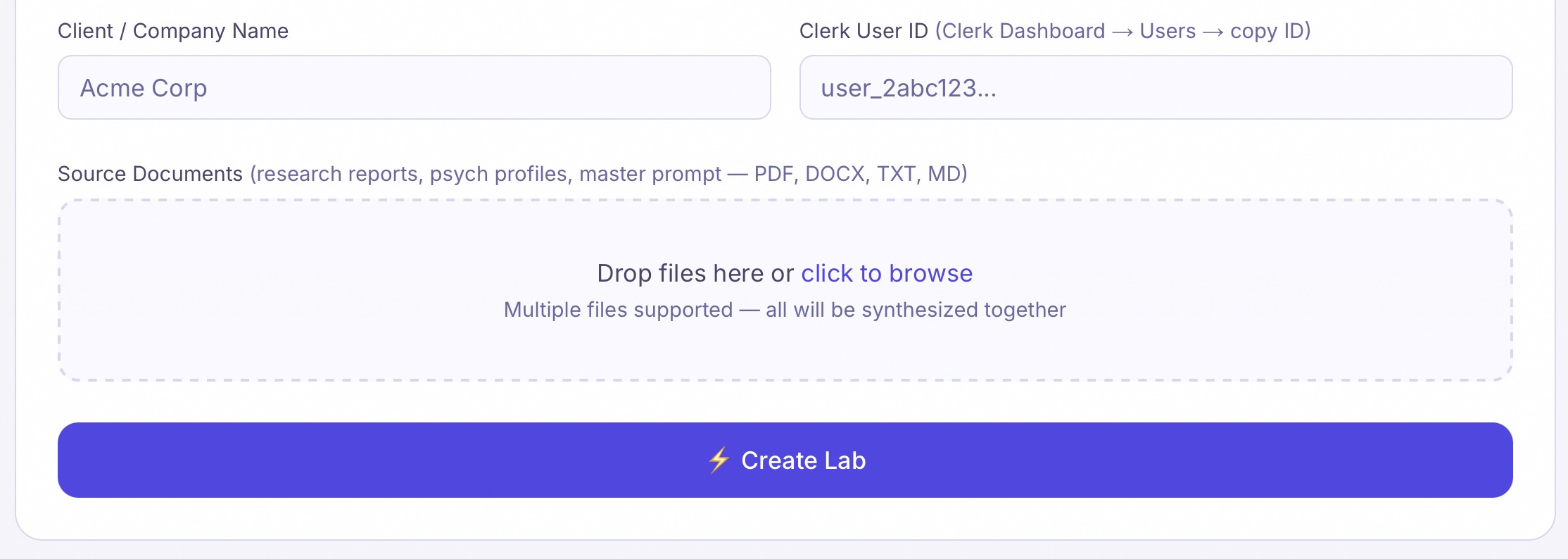
Most reps and fractional CMOs don't have deep psychographic research on their buyers. They wing it. Simulmatica fixes that with 27+ pre-built Template Labs covering common B2B archetypes — PE Portfolio CMO, CFO-Led Buying Committee, Enterprise IT Procurement, Series B/C Founder, and more. Need something specific? Your admin can build a custom lab from discovery notes, research files, or competitive intel.
- ✓27 Template Labs — ready in seconds, no uploads, no wait
- ✓Custom labs built from your PDF, DOCX, TXT, or MD research files
- ✓Each lab models a real buyer archetype, company, or audience segment
- ✓Stop guessing what buyers care about — ask them
You can't get buyer feedback until the deal is already moving.
Talk to your buyer committee before you talk to the real one.
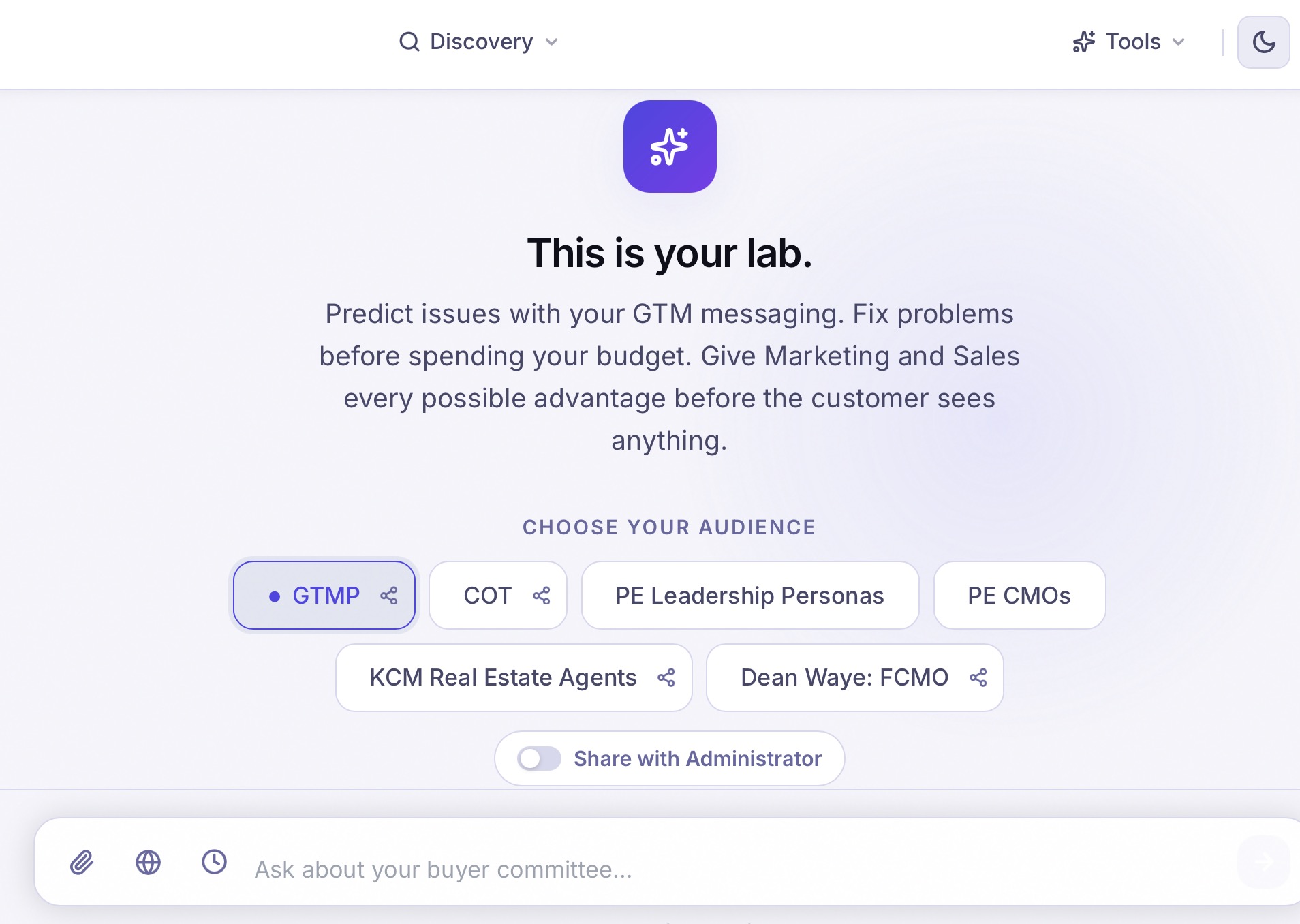
In the real world, you get one shot at a first impression. With Simulmatica, you get unlimited practice rounds. Pick a lab, start a conversation, and get instant reactions from a full committee — economic buyer, technical buyer, champions, blockers — all responding in character. Ask about objections, test your positioning, pressure-test your sequencing.
- ✓Switch between labs instantly — each has its own persona set
- ✓Ask anything: objections, messaging, sequencing, strategy
- ✓Share a lab with your Simulmatica administrator for coaching
- ✓Get feedback in seconds, not after a lost deal
Your pitch doesn't match where the buyer actually is.
Set the deal stage. The committee shifts with it.
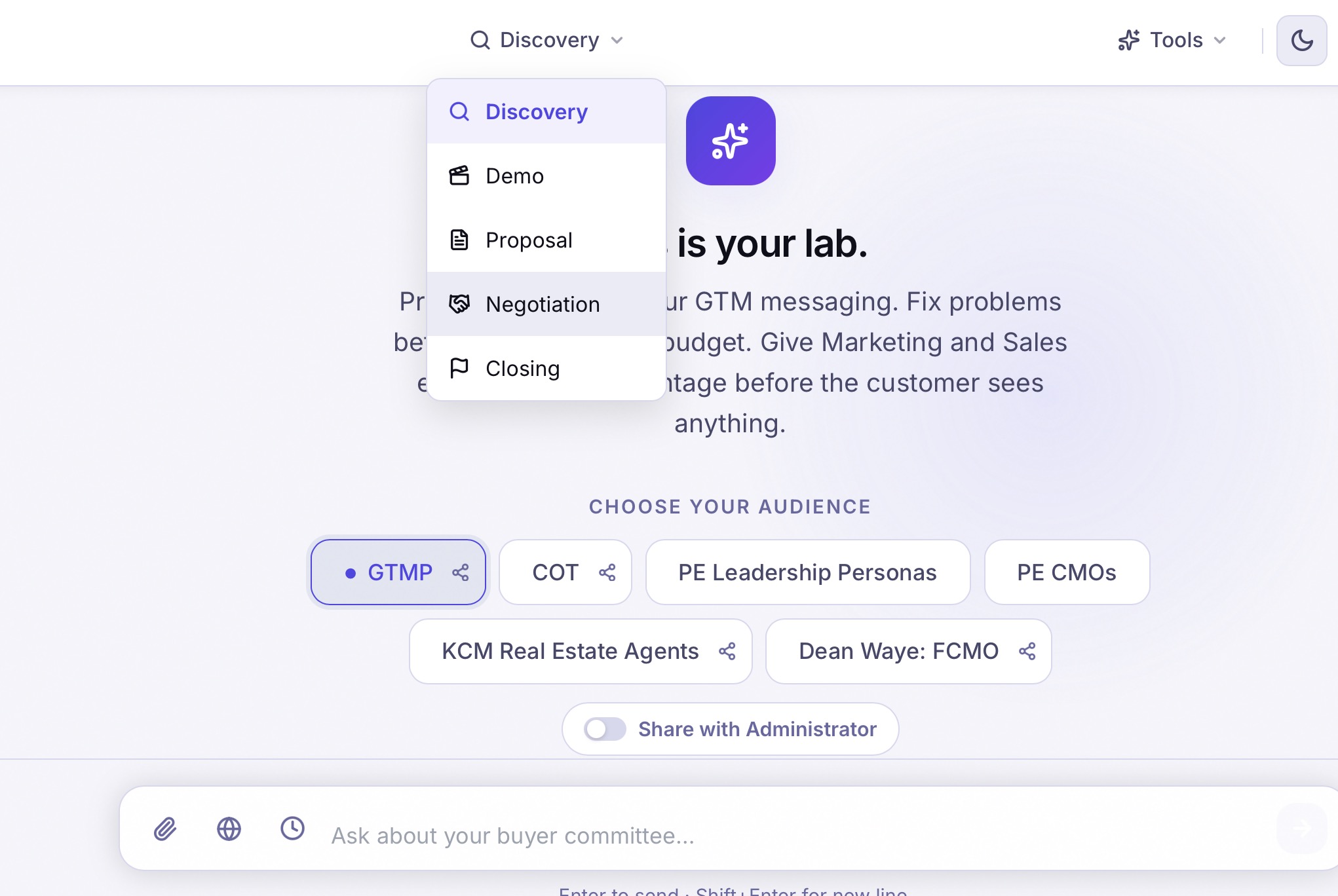
A CFO in a Discovery call behaves very differently than a CFO reviewing a proposal. But most sellers use the same pitch regardless. Tell Simulmatica where you are in the deal — Discovery, Demo, Proposal, Negotiation, or Closing — and the committee adapts. Objections change. Priorities shift. Language tightens. You practice the exact conversation you'll have tomorrow.
- ✓Discovery → Demo → Proposal → Negotiation → Closing
- ✓Committee concerns and urgency shift by stage
- ✓Practice the exact conversation you have tomorrow
You don't know what buyers are saying about your competitors.
Brief the committee on who else is in the deal.
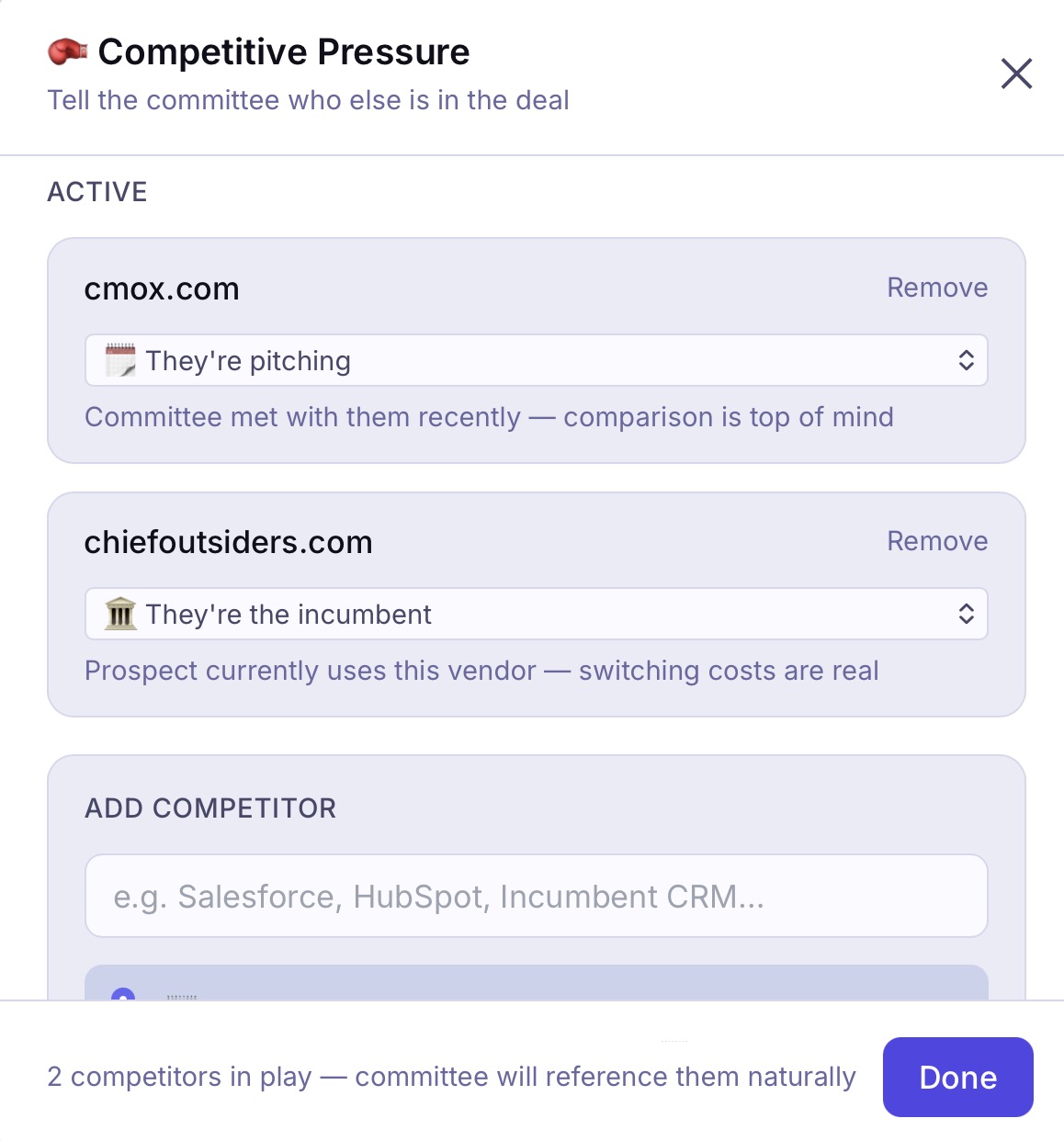
Real buyer committees talk about your competitors whether you're in the room or not. Simulmatica's Competition tool lets you inject competitive context — who's pitching, who's the incumbent, who's shortlisted — and the committee factors them in naturally. You hear the objections your competitors are planting before they land.
- ✓Add any competitor by domain or name
- ✓Simulmatica builds a profile of their product(s) automatically
- ✓Set their status: pitching, incumbent, shortlisted
- ✓Hear how buyers compare you — before the real meeting
Your emails, decks, and landing pages go out untested.
Get a structured committee reaction before you hit send.
You spend hours writing a cold email, a landing page, a deck narrative — and you have no idea if it'll land until the metrics come back flat. Simulmatica's Score tool lets you paste in anything and get a structured reaction from each persona: what landed, what didn't, what they'd push back on. Find the friction before your buyer does.
- ✓Cold email, follow-up, landing page, LinkedIn post, ad copy, and more
- ✓Upload a PDF or DOCX if you can't paste
- ✓Each persona reacts independently — no false consensus
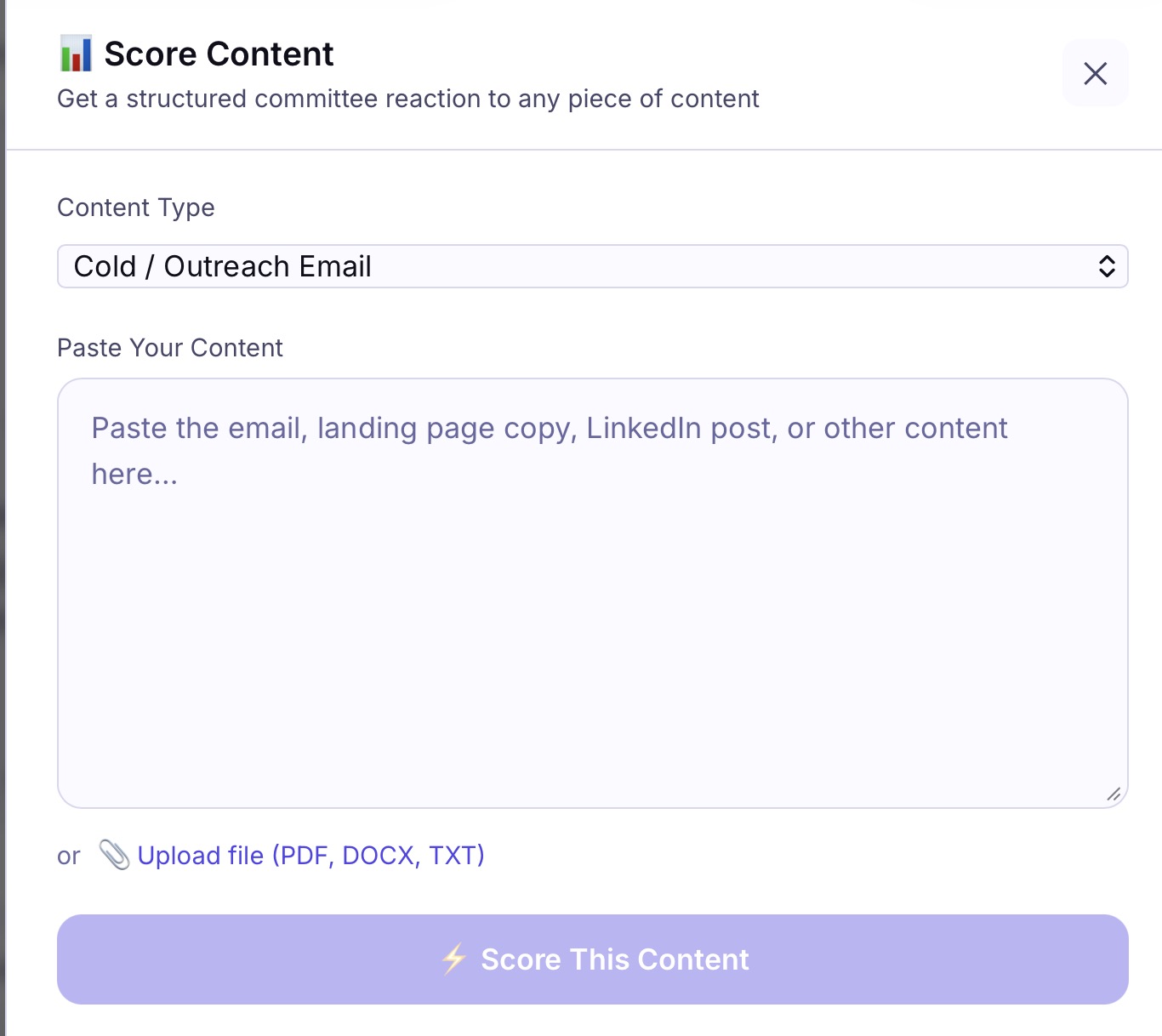
Paste or upload any content to score
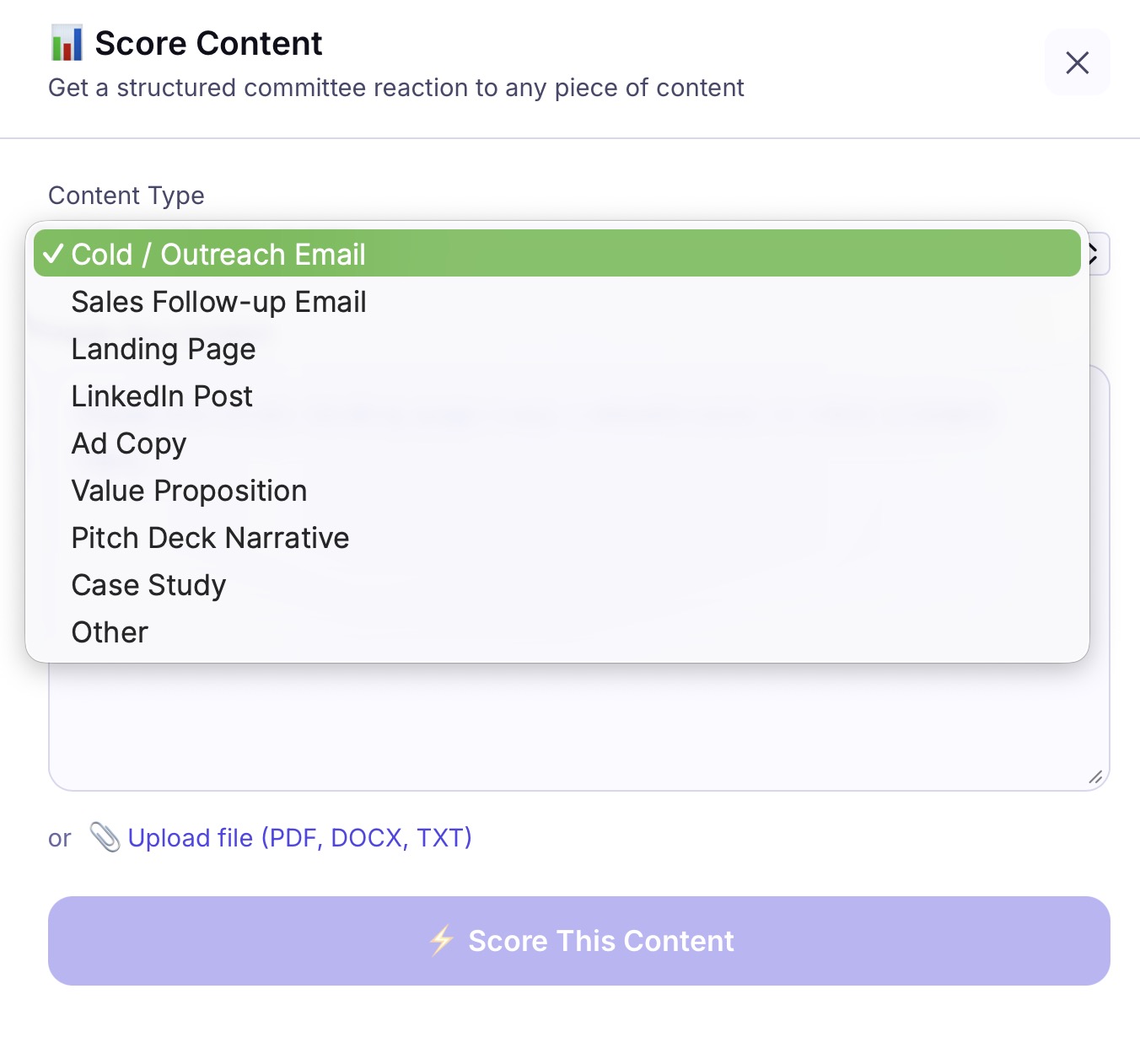
8 content types supported
You're guessing which message will land — and shipping the wrong one.
Let your buyer committee pick the winner.
Internal review doesn't catch what buyers catch. Your team likes the same things you do. Simulmatica's A/B Test lets you pit two variants against each other and get a verdict — with reasoning from each persona about why one outperforms the other. Test your message against a competitor's. Test two subject lines. Stop debating and start knowing.
- ✓Test any two versions of any content type
- ✓Committee explains the reasoning, not just the verdict
- ✓Catches assumptions your internal team would never flag
- ✓Test your message against a competitor's
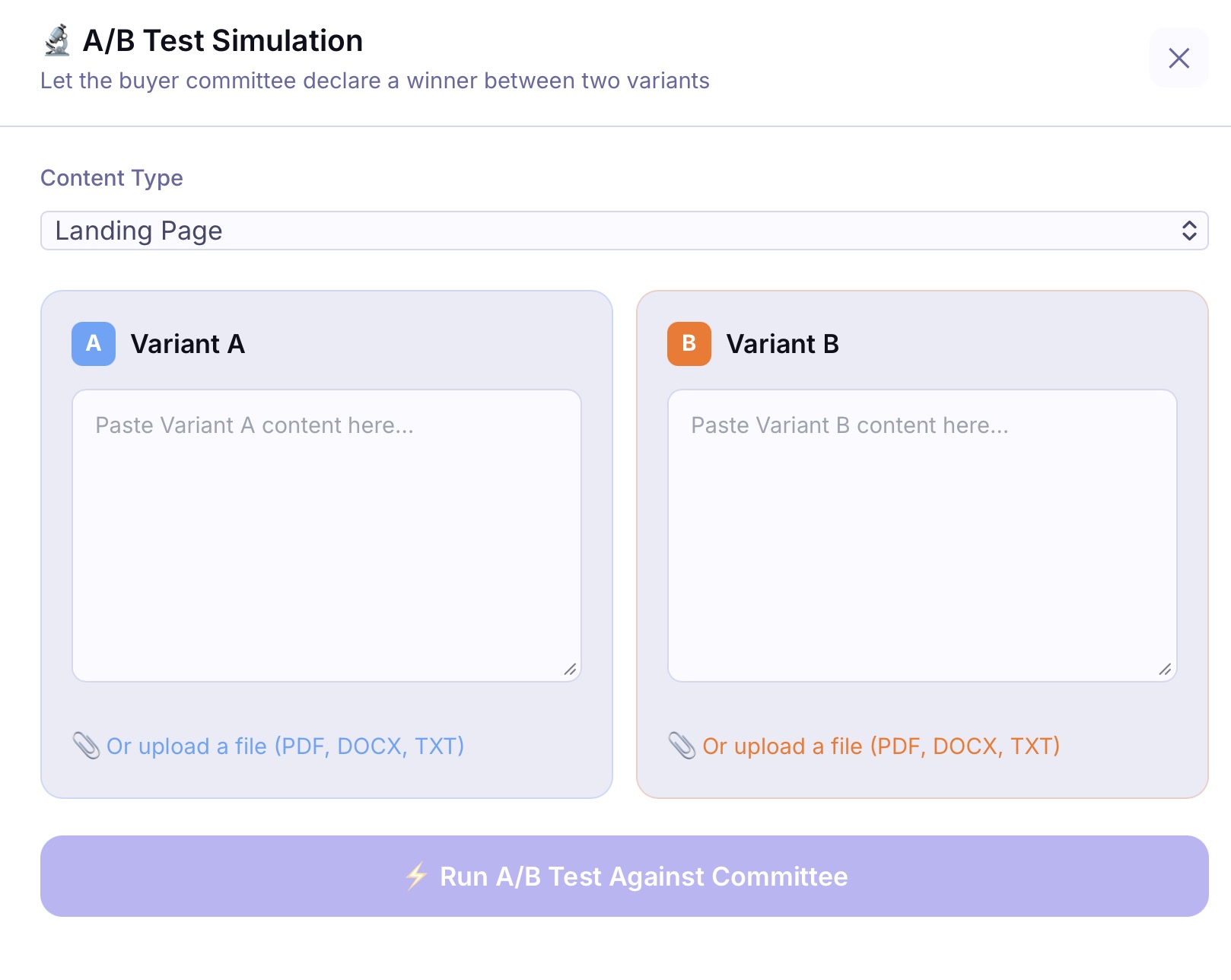
Side-by-side variant testing
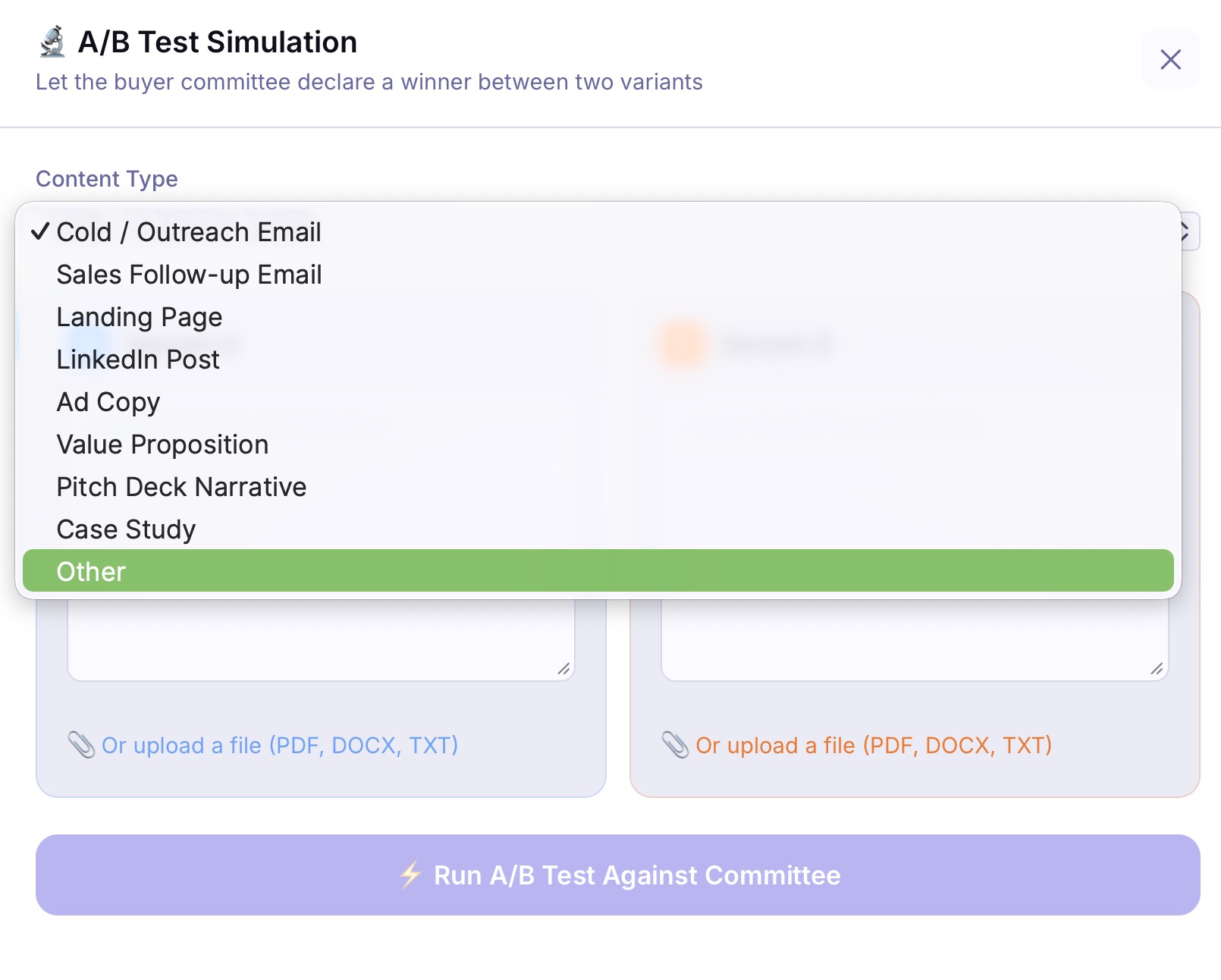
Same 8 content types as Score
You sound like every other vendor in the deal.
Find the move your competitors can't or won't make.
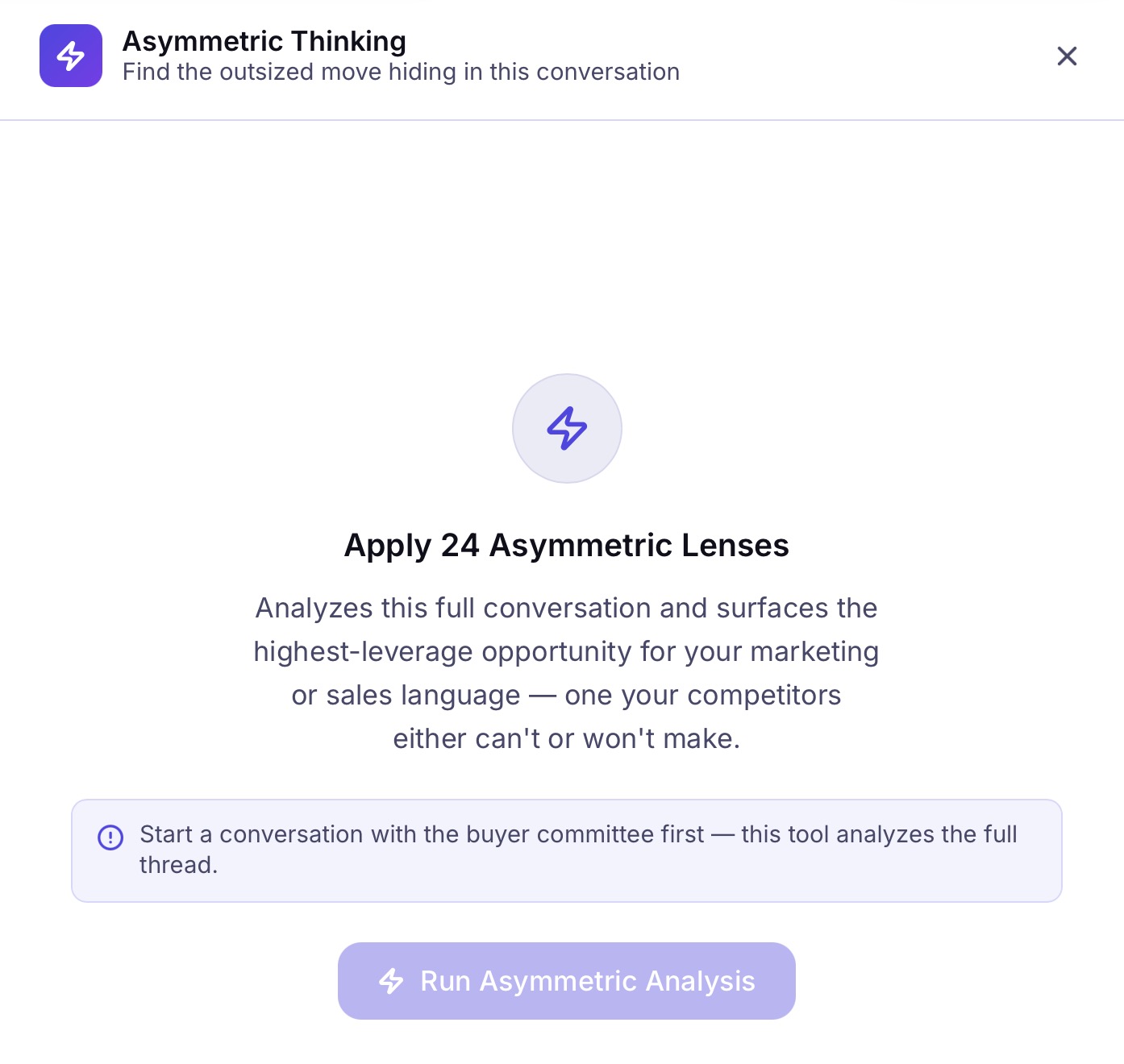
When everyone claims the same benefits, buyers tune out. After a conversation with your committee, Asymmetric Thinking analyzes the full thread through 24 strategic lenses and surfaces the single highest-leverage opportunity in your messaging. Not a list of suggestions. One move — the thing you can say that competitors either can't claim or won't dare to.
- ✓Runs on the complete conversation thread, not a snippet
- ✓24 asymmetric lenses drawn from strategic communication frameworks
- ✓Surfaces what you can say that competitors either can't claim or won't dare to
AI-generated copy sounds like AI — not like your brand.
Control the voice for everything the lab writes.
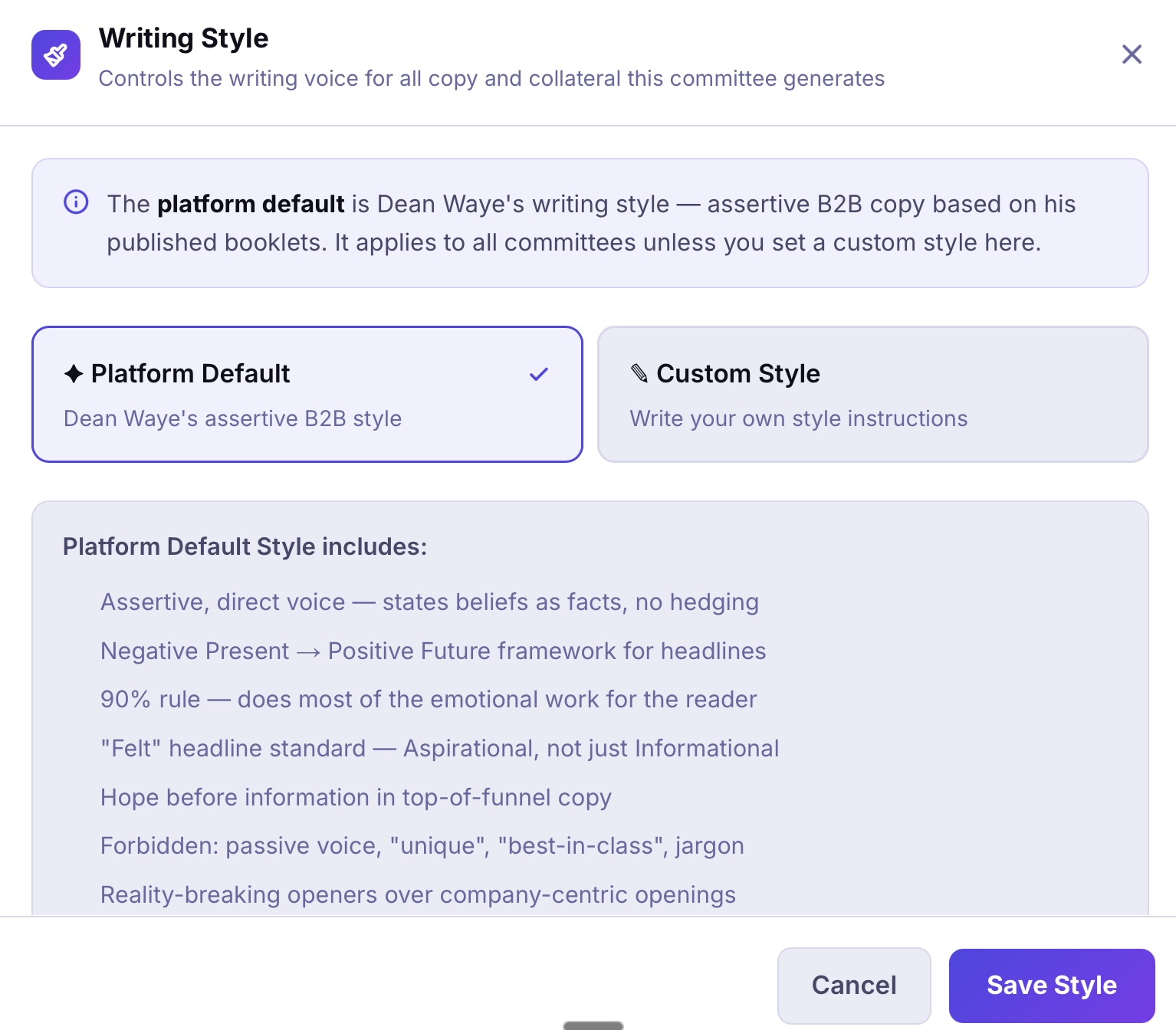
Most AI tools produce the same bland, hedge-everything, jargon-heavy output. Simulmatica's default is Dean Waye's assertive B2B writing style — direct, no hedging, no filler. If you have your own brand voice, switch to Custom Style and write your own guidelines. The committee follows them for the life of that lab.
- ✓Platform default: assertive, direct, no hedging, no jargon
- ✓Custom style: your own brand voice, applied to all generated copy
- ✓Style persists across sessions for that lab
Stop losing deals to problems you could have caught.
Start a conversation with your buyer committee. Get feedback in seconds, not weeks.